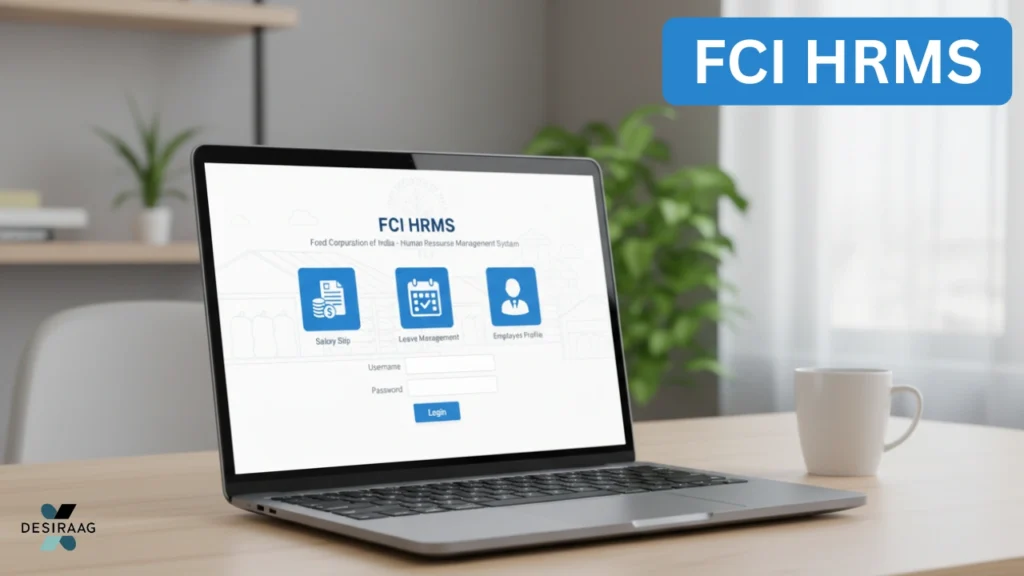
The FCI HRMS (Human Resource Management System) is a digital platform launched by the Food Corporation of India (FCI) to simplify and automate its employee management operations. This system enables employees to easily access their professional records, salary details, leave balances, and more through an online interface. Instead of relying on traditional paper-based systems, FCI HRMS makes workforce management faster, more transparent, and highly efficient.
Overview of FCI HRMS Portal
The Food Corporation of India Human Resource Management System is designed to digitally centralize all employee-related information. Through the portal, employees can:
- View and download payslips and salary statements
- Apply for leave and check approval status
- Access service records and personal details
- Get notifications and circulars from HR
- Update contact or bank details
- Generate reports related to attendance and performance
The main objective of FCI HRMS is to ensure that employees can manage their HR needs independently without having to visit their office’s HR department for every small query.
Why FCI Introduced HRMS
Before the HRMS was introduced, FCI relied heavily on manual recordkeeping, which made managing employee data time-consuming and prone to errors. With the FCI HRMS portal, the organization has achieved:
Also Read


- Paperless recordkeeping: Reducing the dependency on manual files.
- Real-time access: Employees can check their data anytime, anywhere.
- Accuracy and transparency: Digital systems minimize errors.
- Streamlined HR operations: Faster leave approval, performance tracking, and payroll management.
This transition to digital HR management aligns with the Indian government’s initiative to promote e-governance and digital transformation in public sector undertakings.
Key Features of FCI HRMS
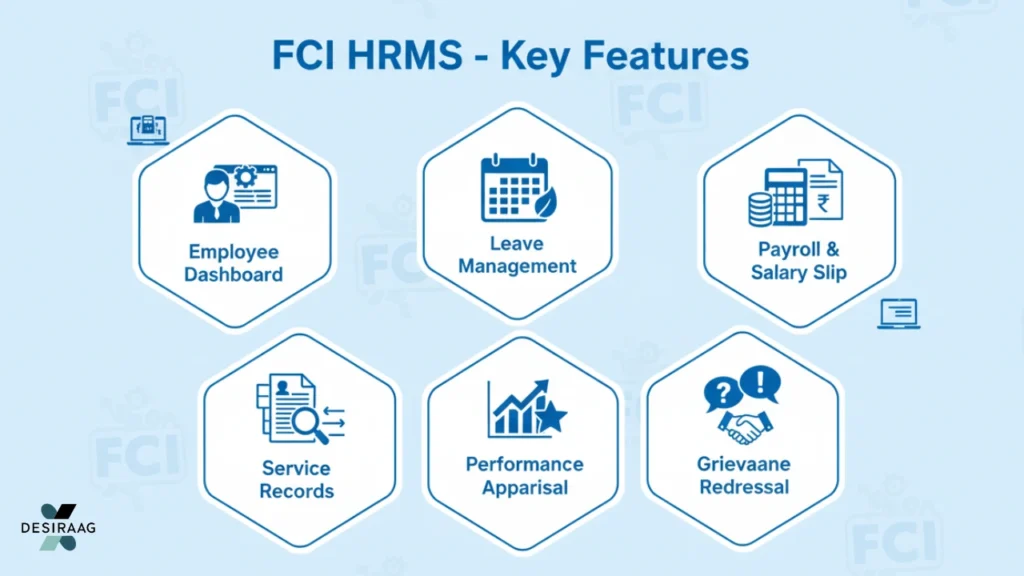
The FCI HRMS portal includes several features that make it a valuable tool for employees. Here are the most important ones:
1. Employee Dashboard
Every registered employee gets a personalized dashboard showing key details such as service profile, current designation, office location, and important HR updates.
2. Leave Management System
Employees can apply for different types of leave — casual, medical, earned, or special — directly through the HRMS. Supervisors can approve or reject requests online, making the process smooth and transparent.
3. Payroll and Salary Slip Access
The portal provides detailed monthly salary slips, pay structure breakdowns, and arrear statements. Employees can download these documents for personal or financial use.
4. Service Records
The HRMS keeps a digital record of the employee’s service history, including promotions, transfers, increments, and awards.
5. Performance Appraisal
Employees can view appraisal reports, feedback, and performance scores through the portal, helping them track professional growth.
6. Notifications and Circulars
Official updates, transfer orders, and circulars are available in one place, ensuring every employee stays informed.
7. Grievance Redressal
The portal allows staff to submit grievances related to HR, salary, or service issues, which can be tracked online until resolved.
Step-by-Step Guide to Register on FCI HRMS
To use the FCI HRMS login portal, you first need to complete your registration. Follow these steps carefully:
- Visit the Official FCI HRMS Portal:
Go to the Food Corporation of India’s HRMS website through your browser. - Select “New User Registration”:
On the homepage, find and click on the option to register as a new user. - Enter Employee Details:
Provide essential information such as your employee ID, date of birth, department, and contact number. - Verify Your Information:
Once entered, the system will verify your details from FCI’s internal database. - Create Username and Password:
Set a secure username and password for your HRMS account. Choose a strong password containing letters, numbers, and symbols for better security. - Submit and Confirm:
After submission, you will receive a confirmation email or SMS on your registered contact details. Your HRMS account will then be activated.
How to Log in to FCI HRMS
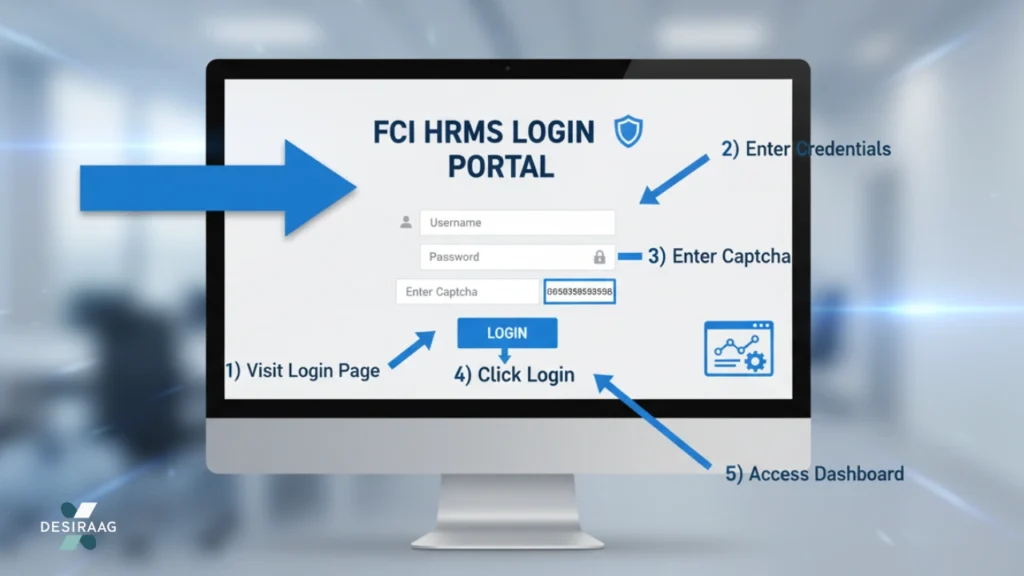
Once registered, you can easily log in using these steps:
- Visit the Login Page:
Go to the FCI HRMS login section on the official website. - Enter Credentials:
Type your username and password in the respective fields. - Enter the Captcha Code:
Fill in the security captcha displayed on the screen. - Click “Login”:
After successful authentication, you will be redirected to your dashboard. - Access Features:
From here, you can explore all available options, such as payslips, leave records, and service details.
How to Reset FCI HRMS Password
If you forget your password, don’t worry. The HRMS portal allows easy password recovery:
- Visit the official login page.
- Click on “Forgot Password.”
- Enter your employee ID and registered email or mobile number.
- You will receive a reset link or OTP.
- Create a new password and confirm it.
Always keep your credentials safe and avoid sharing them with others to maintain account security.
Benefits of Using FCI HRMS
The FCI HRMS system benefits employees and administrators in several ways:
For Employees:
- 24×7 access to salary and service details
- Quick leave applications and approvals
- No need for physical paperwork
- Secure and private management of personal data
- Instant access to official notifications
For the Organization:
- Centralized and updated employee data
- Reduced administrative workload
- Faster HR processing
- Improved transparency and accountability
- Easier compliance with government regulations
The system ensures smooth communication between employees and HR teams, promoting a more organized and responsive work environment.
Troubleshooting Common Login Issues
Sometimes users may face technical issues while accessing the FCI HRMS portal. Here are some quick solutions:
| Issue | Possible Reason | Solution |
|---|---|---|
| Invalid Credentials | Typo in username or password | Re-enter credentials carefully or reset password |
| Page Not Loading | Server issue or poor internet connection | Try refreshing the page or logging in later |
| OTP Not Received | Incorrect mobile/email details | Verify your registered details with HR |
| Account Locked | Multiple failed login attempts | Wait a few minutes and try again or contact support |
If the issue persists, employees can contact the HRMS helpdesk or their regional HR department.
FCI HRMS Mobile Access
Many employees prefer accessing HRMS features on mobile devices. FCI has optimized its HRMS website for mobile browsers, ensuring ease of access even on smartphones or tablets.
Employees can:
- Check salary slips on the go
- Apply for leave through their phone
- Stay updated on circulars anytime
Although there is no dedicated FCI HRMS mobile app yet, the mobile-friendly design makes the portal convenient for daily use.
Security Measures in FCI HRMS
Data security is a top priority for FCI. The HRMS portal uses encrypted connections and multi-layer authentication to ensure privacy and prevent unauthorized access. Key security measures include:
- SSL encryption for all transactions
- Regular database backups
- Role-based access controls
- Automatic logout after inactivity
- OTP-based password recovery
Employees are advised to log out after every session and avoid using public computers for HRMS access.
Role of HR Departments in Managing FCI HRMS
Even though the portal allows employees to manage most of their data independently, regional HR departments still play a crucial role. They are responsible for:
- Updating service records
- Approving leaves and transfers
- Uploading official circulars
- Managing employee grievances
- Verifying registration details
This collaboration between digital systems and human oversight ensures accuracy and smooth functioning.
How FCI HRMS Improves Transparency
Transparency in public sector organizations is vital for accountability. FCI HRMS improves transparency by providing:
- Real-time data access for employees
- Clear records of leaves and pay transactions
- Automated audit trails
- Minimal human interference in processes
These features reduce internal discrepancies and promote fairness within the organization.
Future Enhancements of FCI HRMS
The Food Corporation of India continues to enhance its HRMS platform. Some upcoming developments may include:
- Integration with biometric attendance systems
- Employee self-service mobile app
- Performance-based analytics dashboard
- AI-based query and helpdesk support
These updates aim to make the platform more efficient, user-friendly, and advanced in line with modern HR practices.
Do-Follow Resource
For additional details about public sector HRMS systems, you can refer to https://fci.gov.in/, the official website of the Food Corporation of India.
Frequently Asked Questions
1. What is the full form of FCI HRMS?
FCI HRMS stands for Food Corporation of India Human Resource Management System.
2. How can I access the FCI HRMS portal?
You can access it through the official FCI HRMS website using your registered credentials.
3. Can retired employees use the HRMS portal?
Yes, retired employees can access certain services like pension-related documents and service history.
4. Is there an app for FCI HRMS?
Currently, there is no standalone mobile app, but the web portal is mobile-friendly.
5. What should I do if I face login issues?
You can reset your password or contact the FCI HRMS support team for technical assistance.
Conclusion
The FCI HRMS portal is a vital step toward digital transformation in government employment management. By streamlining employee data handling, leave management, salary access, and grievance tracking, it enhances efficiency, transparency, and convenience.
For FCI employees, mastering the portal ensures they stay connected with every aspect of their professional journey — from salary to service updates — all within a few clicks. The HRMS has not only simplified administrative processes but also empowered employees with self-service capabilities that reflect a more modern and responsive workplace.